MagicaCloth2 教學
Author: Kelvin Huang
MagicaCloth2 是一款與 Unity DOTS 搭配使用的布料模擬,它將是前一代 MagicaCloth 的強化版本。 MagicaCloth2 完全不受渲染管線影響,可以搭配任何著色器,支援全部渲染管線!MagicaCloth2 可以讓您的角色揮動任何東西!系統優化將所有元件整合為一體,省去繁瑣的預先建立需求,同時新增了碰撞功能,如邊緣碰撞、後擋和自我碰撞。
Youtube: [ MagicaCloth2 展示影片 ] [ MagicaCloth2 MeshCloth Tutorial ] [ MagicaCloth2 BoneCloth Tutorial ]
支援主要平台,不含 WebGL、VisionOS
提供簡單直覺的介面,方便快速設定
提供時間操作功能,例如慢速與停止
Point / Edge based collision
Self-collision and mutual collision
Penetration measure (Backstop by normal line)
Normal adjustment function
Full support for run-time builds
Supports uniform scaling
Only one axis of XYZ supports negative scale
基於點/邊緣的碰撞
自我碰撞與相互碰撞
穿透測量(以法線阻擋) 法線調整功能
完整支援執行時建置
支援均勻縮放
XYZ 僅一個軸支持負縮放
取消 MagicaCloth1 預先建立的方式,MagicaCloth2 不再使用建立按鈕
移除 PhysicsManager / RenderDeformer / VirtualDeformer
將原本的多個元件整合為單一元件,並大幅簡化參數
Significant improvements in vertex painting
Specify vertex painting by texture
Doesn’t store subassets in Prefabs
頂點繪製
有顯著改進 以材質
指定頂點繪製 不在預製件
* Burst 與 Collections 套件會自動安裝。
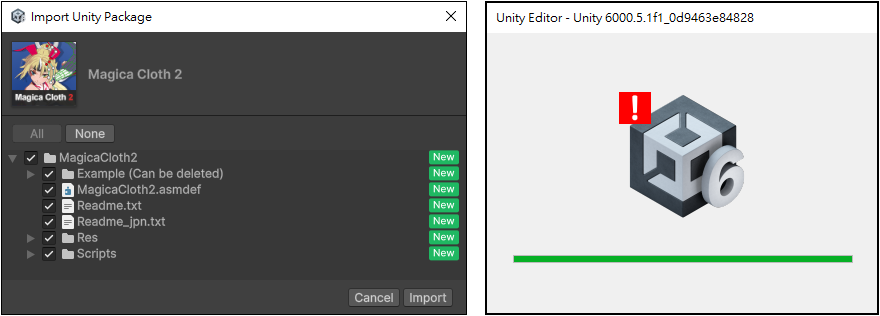
匯入後古出現錯誤訊息:InvalidOperationException: You are trying to read Input using the UnityEngine.Input class, but you have switched active Input handling to Input System package in Player Settings.解決方法是設定輸入方式。
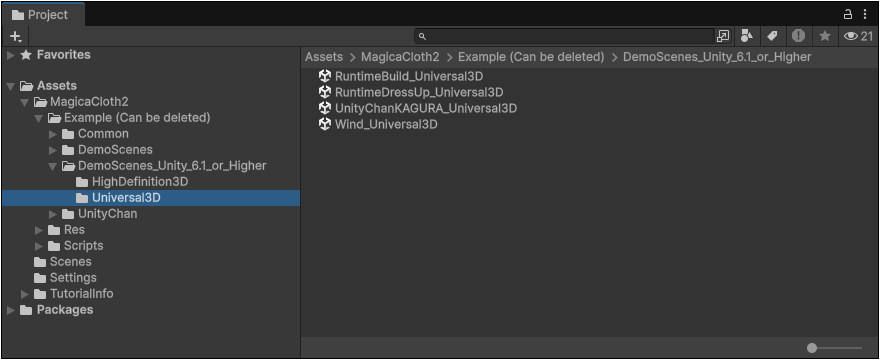
建議可透過 Magica Cloth 2 提供的範例場景,學習使用的技巧:
開啟 [ MagicaCloth2 > Example (Can be deleted) > DemoScenes_Unity_6.1_or_Higher Universal3D ] 資料夾。
[Example-DemoScenes_Unity_6.1_or_Higher Universal3D.png]
官方教學文件目前缺少詳細的介紹,建議看看展示場景的設定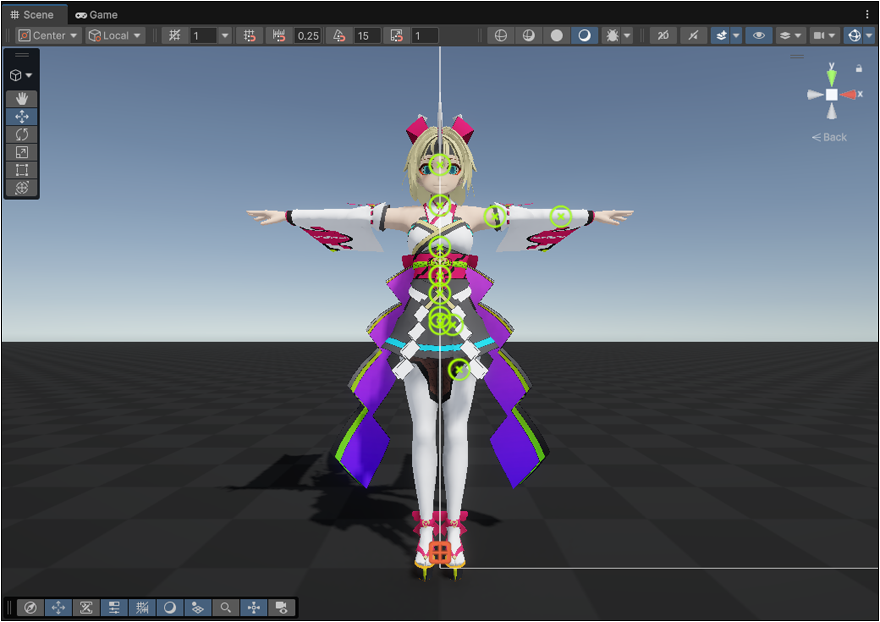
袖子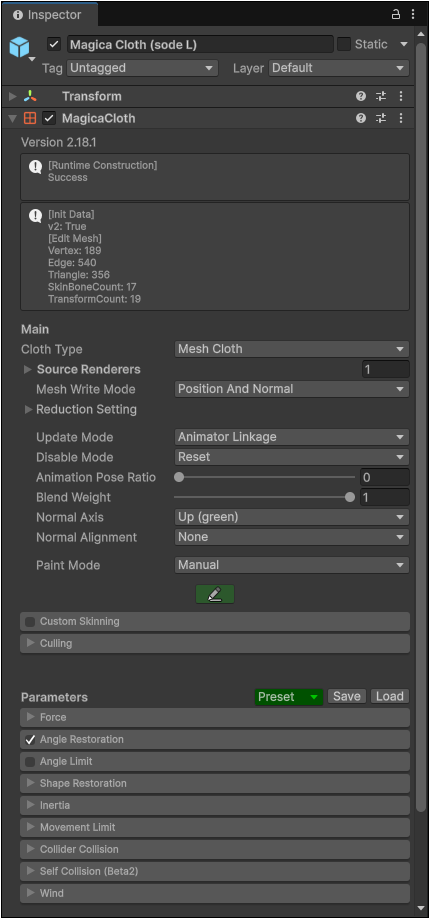
裙子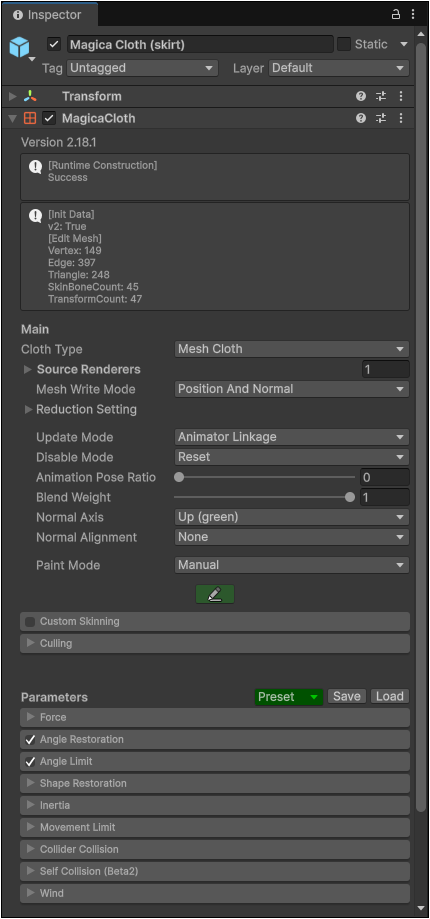
手上緞帶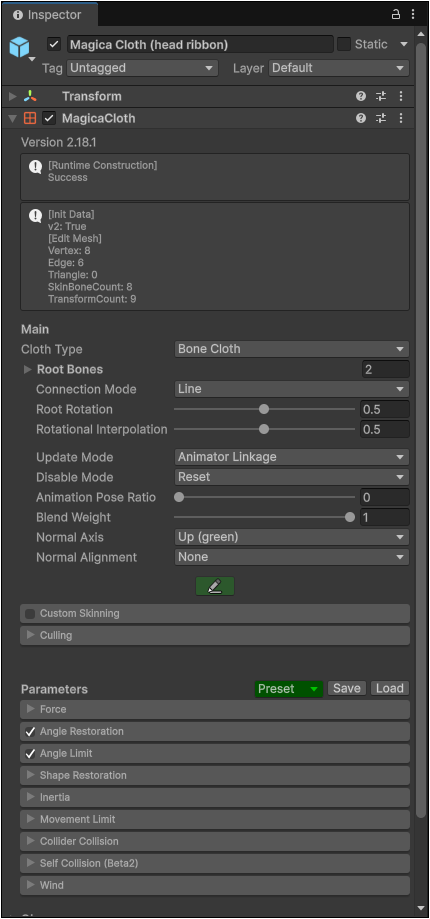
前面頭髮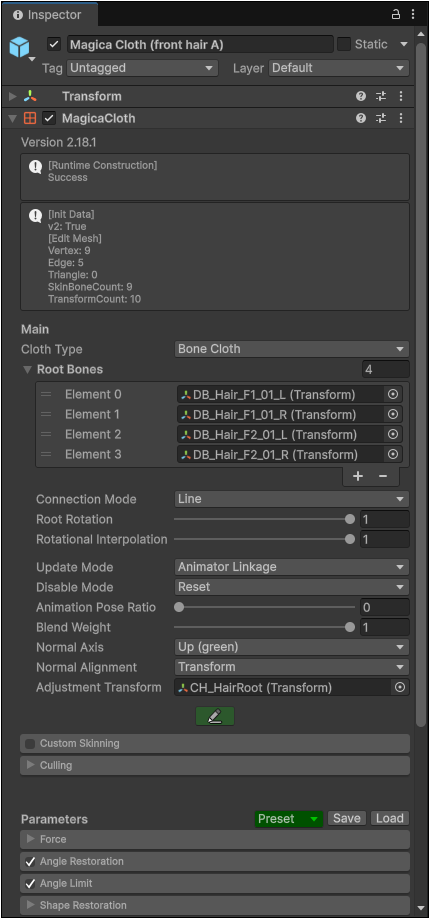
馬尾辮子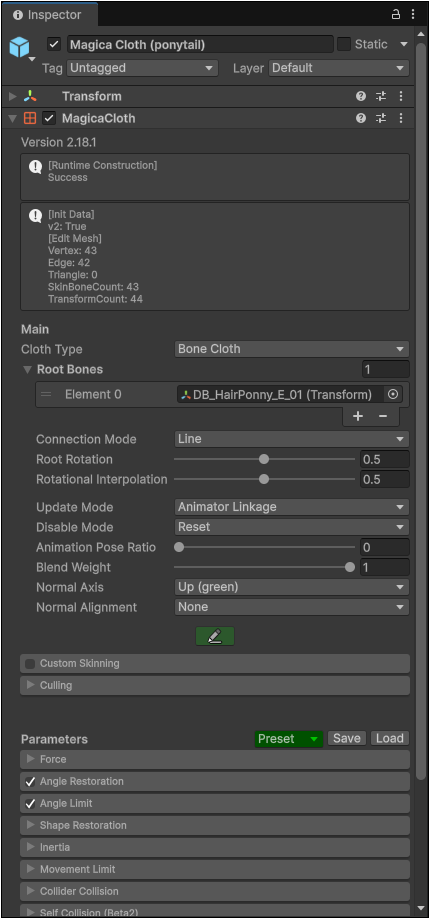
Bust 實際上製作乳搖效果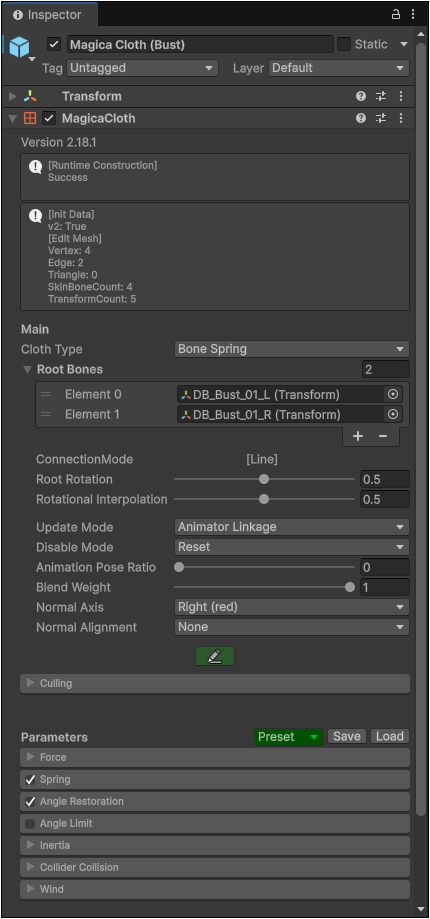
Magical Cloth 2 提供的 3 種模擬方式
Bone Cloth:控制骨骼 Transform,適合頭髮、裙襬骨、飾品、尾巴、胸部或披風骨架。
Mesh Cloth:直接控制網格頂點,適合沒有布料骨架的裙子、外套、披風或一般衣物。
Bone Spring:偏向簡化的骨骼彈性效果,適合不需要完整布料碰撞的輕量擺動。
風區效果可參考 Wind_URP 展示場景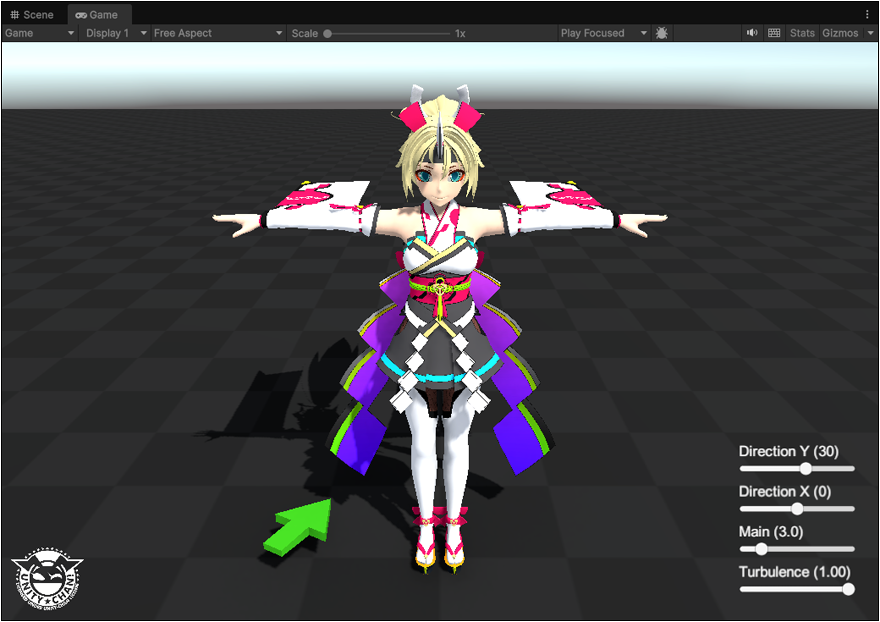
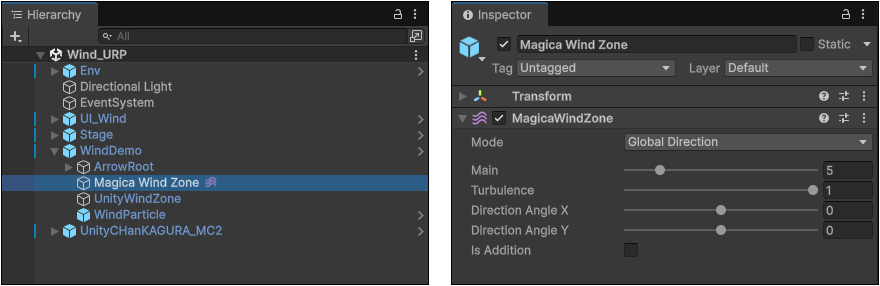
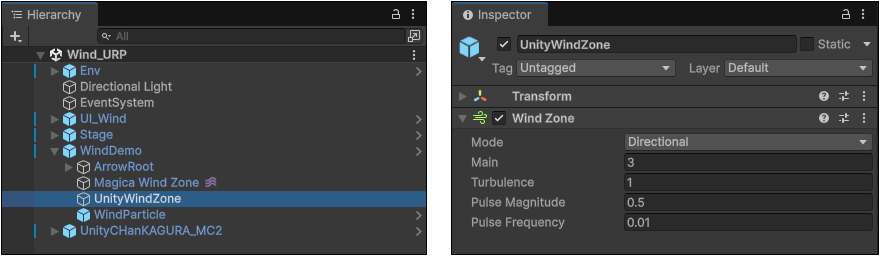
選取角色,執行 [ Create Other > Magica Cloth2 > Magica Cloth ] 建立 Magica Cloth 物件。
1
設定 Cloth Type = Bone Cloth
2
加入 Root Bones 小技巧,鎖頭,可將 Inspector 鎖住目前選取的物件
3
建立專用風區 [ Create Other > Magica Cloth2 > Magica Wind Zone ]
5
Magica Wind Zone 使用預設的 Global Direction 模擬一般自然風的效果。
Youtube: [ MagicaCloth2 展示影片 ] [ MagicaCloth2 MeshCloth Tutorial ] [ MagicaCloth2 BoneCloth Tutorial ]
主要特色
Unity DOTS (Data-Oriented Technology Stack) 用於快速布料模擬支援主要平台,不含 WebGL、VisionOS
提供簡單直覺的介面,方便快速設定
提供時間操作功能,例如慢速與停止
Point / Edge based collision
Self-collision and mutual collision
Penetration measure (Backstop by normal line)
Normal adjustment function
Full support for run-time builds
Supports uniform scaling
Only one axis of XYZ supports negative scale
基於點/邊緣的碰撞
自我碰撞與相互碰撞
穿透測量(以法線阻擋) 法線調整功能
完整支援執行時建置
支援均勻縮放
XYZ 僅一個軸支持負縮放
V2 版本優化項目
取消 MagicaCloth1 預先建立的方式,MagicaCloth2 不再使用建立按鈕
移除 PhysicsManager / RenderDeformer / VirtualDeformer
將原本的多個元件整合為單一元件,並大幅簡化參數
Significant improvements in vertex painting
Specify vertex painting by texture
Doesn’t store subassets in Prefabs
頂點繪製
有顯著改進 以材質
指定頂點繪製 不在預製件
系統需求
Unity2021.3.20 / Burst 1.8.1 / Collections 1.4.0 或以上版本* Burst 與 Collections 套件會自動安裝。
操作步驟
首先將 MagicaCloth2 下載並匯入專案,注意!匯入專案時經常會出錯,但重啟後可正常使用。匯入後古出現錯誤訊息:InvalidOperationException: You are trying to read Input using the UnityEngine.Input class, but you have switched active Input handling to Input System package in Player Settings.解決方法是設定輸入方式。
建議可透過 Magica Cloth 2 提供的範例場景,學習使用的技巧:
開啟 [ MagicaCloth2 > Example (Can be deleted) > DemoScenes_Unity_6.1_or_Higher Universal3D ] 資料夾。
[Example-DemoScenes_Unity_6.1_or_Higher Universal3D.png]
官方教學文件目前缺少詳細的介紹,建議看看展示場景的設定
袖子
裙子
手上緞帶
前面頭髮
馬尾辮子
Bust 實際上製作乳搖效果
Magical Cloth 2 提供的 3 種模擬方式
Bone Cloth:控制骨骼 Transform,適合頭髮、裙襬骨、飾品、尾巴、胸部或披風骨架。
Mesh Cloth:直接控制網格頂點,適合沒有布料骨架的裙子、外套、披風或一般衣物。
Bone Spring:偏向簡化的骨骼彈性效果,適合不需要完整布料碰撞的輕量擺動。
風區效果可參考 Wind_URP 展示場景
選取角色,執行 [ Create Other > Magica Cloth2 > Magica Cloth ] 建立 Magica Cloth 物件。
1
設定 Cloth Type = Bone Cloth
2
加入 Root Bones 小技巧,鎖頭,可將 Inspector 鎖住目前選取的物件
3
建立專用風區 [ Create Other > Magica Cloth2 > Magica Wind Zone ]
5
Magica Wind Zone 使用預設的 Global Direction 模擬一般自然風的效果。
Copyright © 2026 CG Digital Corp. All rights reserved.